Example Projects and Guides
This section provides access to our comprehensive example projects, which are the best resources for learning how to use the GenAI for Unreal plugin effectively.
The New Example Projects
To provide the best learning experience, we have moved away from small, in-plugin examples to a complete, standalone suite of projects. Thanks to a new automated build system, we now provide dedicated example projects for each supported version of Unreal Engine.
Important Requirements
Please note that these example projects require GenAI for Unreal plugin version 2.0.1 or higher to function correctly.
The plugin must be installed to your engine from the Fab store before opening these projects. Without it, the Blueprint project will have errors, and the C++ project will fail to compile or open.
📥 Download Example Projects
Projects are available for each supported Unreal Engine version. Please download the one that matches your engine. All links point to Google Drive.
| Engine Version | C++ Project | Blueprint-Only Project |
|---|---|---|
| Unreal Engine 5.7 | GenAIExample_UE5.7_CPP.zip | GenAIExample_UE5.7_BP.zip |
| Unreal Engine 5.6 | GenAIExample_UE5.6_CPP.zip | GenAIExample_UE5.6_BP.zip |
| Unreal Engine 5.5 | GenAIExample_UE5.5_CPP.zip | GenAIExample_UE5.5_BP.zip |
| Unreal Engine 5.4 | GenAIExample_UE5.4_CPP.zip | GenAIExample_UE5.4_BP.zip |
| Unreal Engine 5.3 | GenAIExample_UE5.3_CPP.zip | GenAIExample_UE5.3_BP.zip |
| Unreal Engine 5.2 | GenAIExample_UE5.2_CPP.zip | GenAIExample_UE5.2_BP.zip |
| Unreal Engine 5.1 | GenAIExample_UE5.1_CPP.zip | GenAIExample_UE5.1_BP.zip |
What’s Inside the Projects?
The new example projects are packed with features and are designed to be a practical starting point for your own integrations.
1. Simple Actor Examples: For quick, non-UI testing
The Blueprint project also includes simple actors you can drag into your level. These actors execute a single function on BeginPlay and print the results to the log and the screen. You can easily switch between providers by editing the blueprint node connections of BeginPlay.

2. Interactive UMG Widgets:

Explore pre-built UI for:
- Chat: A complete chat interface demonstrating standard, streaming, and multimodal requests.
- Image Generation: A simple UI to write a prompt and generate an image.
- TTS & Transcription: A panel to test text-to-speech and audio transcription.
- Model Listing: A demonstration of the new “Get All Models” feature to dynamically populate a dropdown of available models.
3. C++ Best Practices:
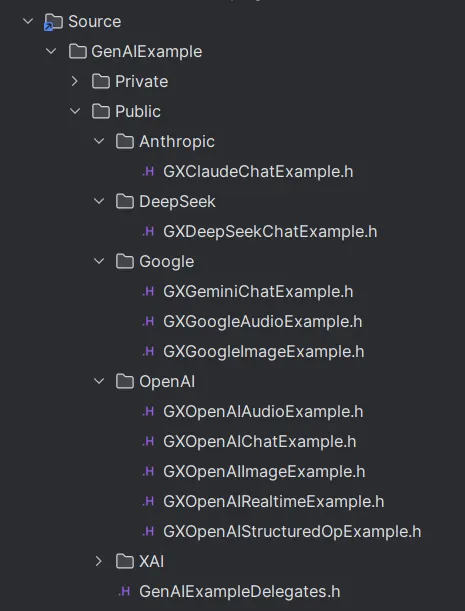
The C++ project demonstrates essential patterns for safety and efficiency, such as using weak pointers in asynchronous callbacks.
“Become Human” - Upcoming Optional Game Template (Paid)
Coming soon to the Fab Marketplace is “Become Human,” a complete, game-ready template built with the GenAI for Unreal plugin.
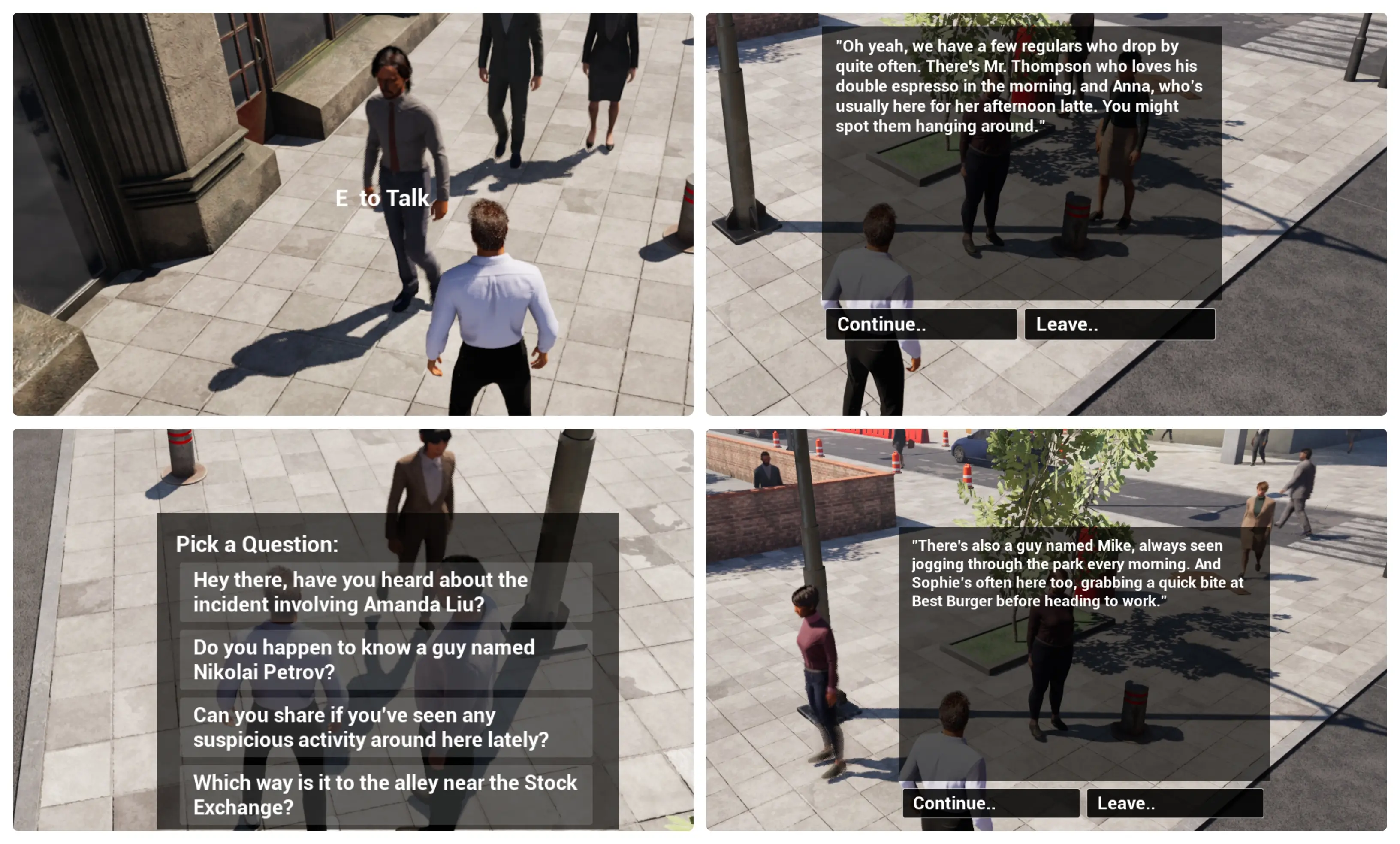
This project will serve as the ultimate learning resource and a powerful starting point for your own AI-driven games. It will feature a fully implemented, conversational NPC in a small, interactive environment, showcasing advanced techniques for dialogue management, real-time streaming, and dynamic character interaction. Keep an eye on the marketplace for its release!
Quick Walkthroughs
Here are some quick, copy-paste-ready examples to demonstrate the core API patterns.
Blueprint Usage Walkthrough
All asynchronous Blueprint nodes share a similar structure. Note the new “Make…” node with the fire logo, which allows you to select models from a convenient dropdown list.

- Request OpenAI Chat Completion: The main latent node that initiates the API call.
- Settings: Use the
Make Gen OpenAI Chat Settings (Advanced)node (with the fire logo) to get a dropdown list of supported models. You can still use the standardMakenode if you need to pass in a custom model name as a string. - OnComplete (Event): This event pin fires when a response is received. It provides the final
Response, anError Message, and aSuccessboolean.
C++ Usage Walkthrough (OpenAI Chat)
The C++ workflow is clean and powerful, using a settings struct and a completion delegate.
#include "Models/OpenAI/GenOAIChat.h"
#include "Data/OpenAI/GenOAIChatStructs.h" // Required for settings and message structs

void AMyActor::SendSimpleChatRequest()
{
    // 1. Configure the request settings
    FGenOAIChatSettings ChatSettings;
    ChatSettings.Model = EOpenAIChatModel::GPT_4o; // Select model from the enum
    ChatSettings.MaxTokens = 150;

    // 2. Create the message payload
    TArray<FGenChatMessage> Messages;
    Messages.Add(FGenChatMessage{EGenChatRole::User, TEXT("Tell me a short story about a robot who discovers music.")});

    // 3. Create a weak pointer for a safe callback
    TWeakObjectPtr<AMyActor> WeakThis(this);

    // 4. Send the request with a lambda for the callback
    UGenOAIChat::SendChatRequest(ChatSettings, Messages,
        FOnChatCompletionResponse::CreateLambda([WeakThis](const FString& Response, const FString& Error, bool bSuccess)
        {
            // Always check if the calling object is still valid
            if (!WeakThis.IsValid()) return;

            if (bSuccess)
            {
                // Process the successful response
                WeakThis->OnChatResponseReceived(Response);
            }
            else
            {
                // Handle the error
                WeakThis->OnChatError(Error);
            }
        })
    );
}
Find More Examples
Ready to dive deeper? The guides below provide detailed walkthroughs for specific features, all of which are demonstrated in the new example projects.