Models and Voices
This section covers how to dynamically fetch available models and voices from the AI providers.
1. Dynamically Fetching All Models
To ensure your project always has access to the latest models, the plugin provides a simple way to request a list of all available models directly from a provider’s API. This is especially useful for building UI elements like dropdown menus that allow users to select a model at runtime.
In Blueprints
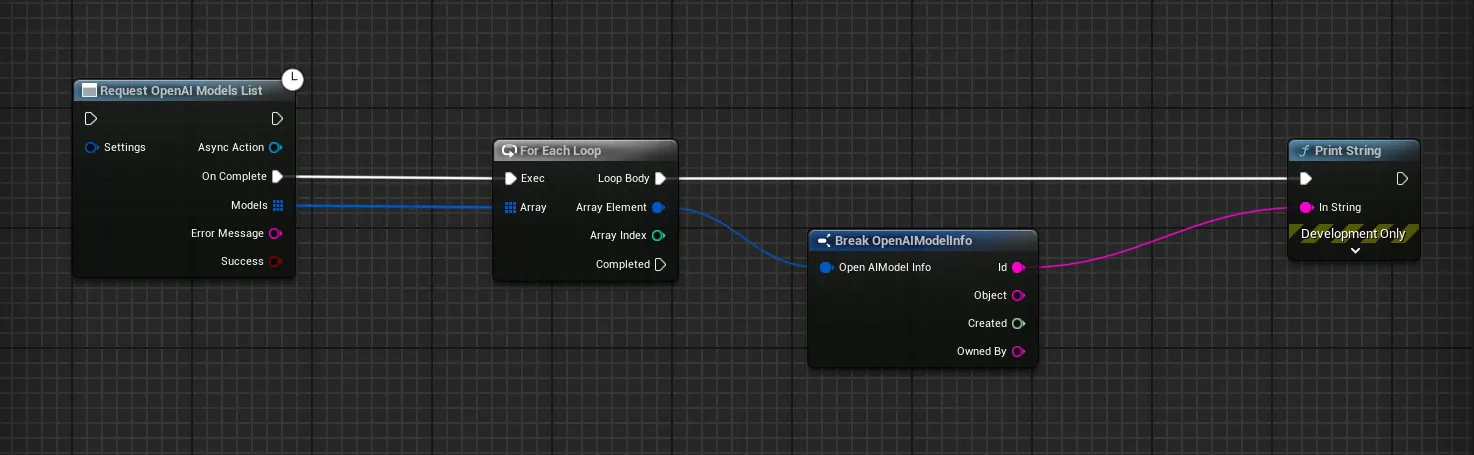
You can use the “Request [Provider] Models List” node. For example, Request OpenAI Models List will return an array of structs, each containing information about an available model.
In C++
In C++, you can use the static SendListModelsRequest function from the appropriate model’s class. For example:
UGenOAIModels::SendModelsListRequest(...)UGenGoogleModels::SendModelsListRequest(...)
2. Dynamically Fetching All Eleven Labs Voices
Similarly, you can fetch a list of all available voices from Eleven Labs. This allows you to create voice selection menus or dynamically switch voices in your application.
In Blueprints
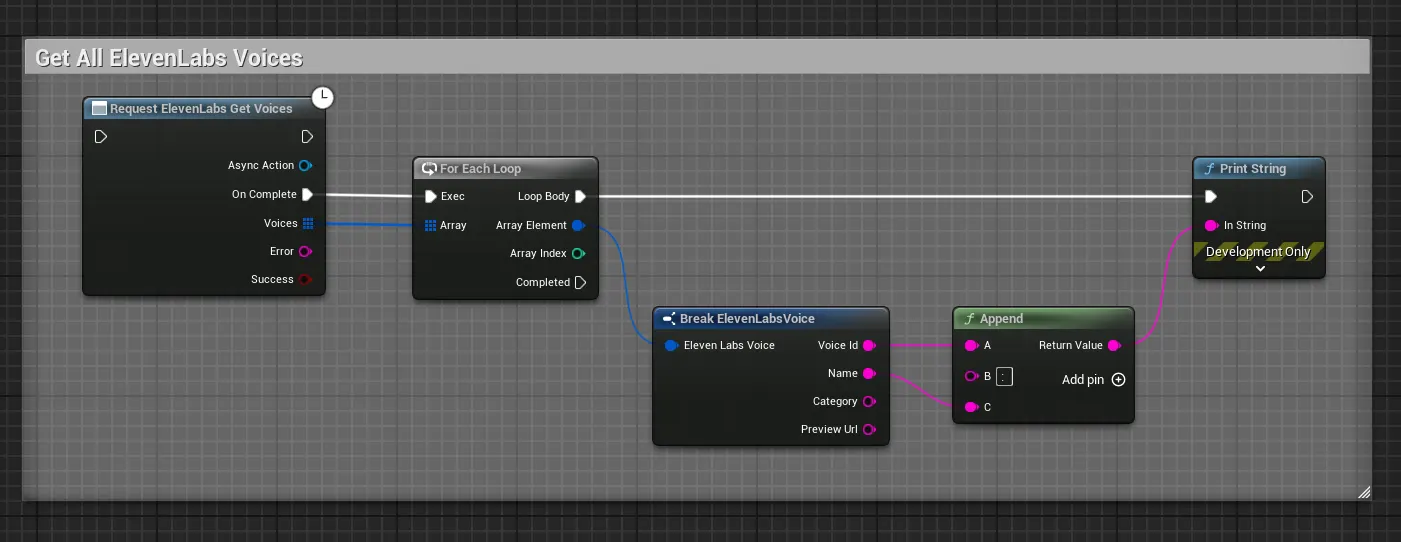
The “Request ElevenLabs Get Voices” node returns an array of structs, each containing the voice ID, name, category, and a preview URL for the voice.
In C++
The C++ function UGenElevenLabsVoices::SendGetVoicesRequest(...) can be used to fetch the list of voices.