Getting API Keys
To connect your Unreal project to Chinese AI models, you need to obtain API keys from the respective service providers.
Supported AI Providers
Alibaba Cloud (Qwen, Wan Models)
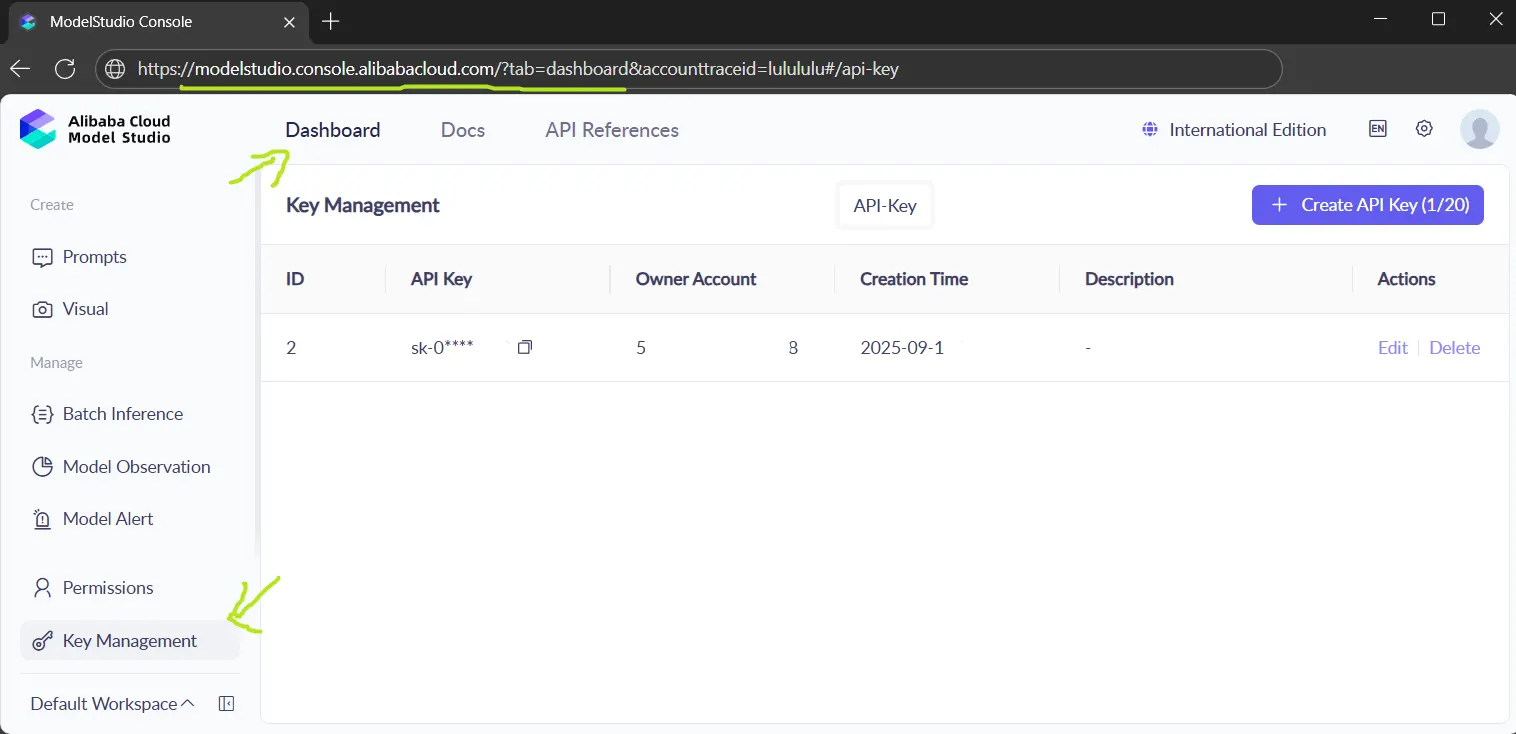
- If you are from Mainland China Navigate to the Alibaba Cloud Bailian Console. For Worldwide (Singapore) access, use the Model Studio Console instead.
- Create an account or log in.
- Go to the API Key Management section to create and copy your key.
Moonshot AI (Kimi Models)
- Go to the Moonshot AI Platform and sign in.
- Navigate to the API Keys section in your account settings to generate a new key.
Bytedance (Skylark, Seedream, Deepseek Models)
- Visit the Byteplus Console for the International endpoint, or the Volcanic Engine console for Mainland China.
- After signing up, find the API Key Management section in the console to create your key.
ZhipuAI (GLM Models)
- For International access, go to z.ai. For Mainland China, use open.bigmodel.cn.
- Create an account or log in and navigate to the API Keys section to generate a new key.
Baidu (ERNIE / Qianfan Models)
- Visit the Baidu Qianfan Console.
- Create an account or log in and navigate to the API Key Management section to create your key.
Storing Your API Keys Securely
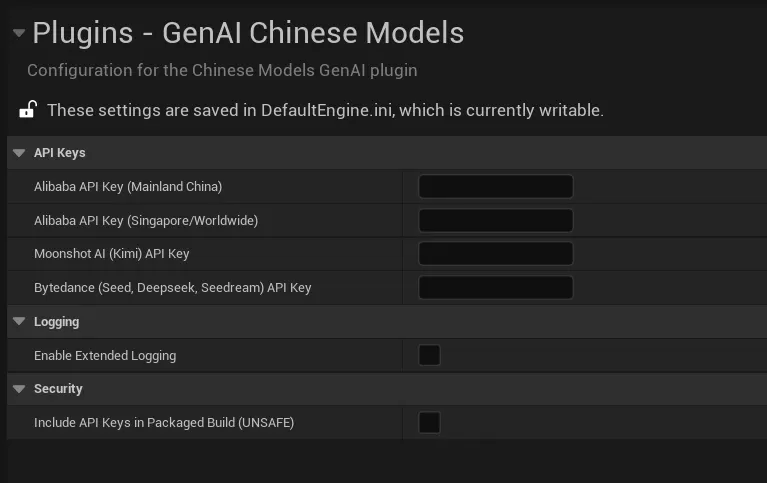
Once you have your keys, you must add them to the plugin’s settings panel.
- In the Unreal Editor, navigate to Edit > Project Settings.
- Scroll to the Plugins section and select GenAI Chinese Models.
- Enter your API keys into the corresponding fields for Alibaba, Moonshot AI, Bytedance, ZhipuAI, and Baidu.
These keys are automatically saved to an encrypted binary file. For more details, see the Authentication & Security guide.