Getting API Keys
To generate 3D models and textures, you need an API key from at least one supported provider. Each provider has its own strengths — you can use one or all of them. All keys are configured in Project Settings > Plugins > GenAI Model Generator.
Tripo AI
What it powers: Text-to-3D and Image-to-3D using Tripo’s proprietary v3.1 model. This is a separate, newer model from the open-source TripoSR available on Fal.ai.
Free tier: 300 credits/month (~24 generations). API credits are separate from web subscription credits.
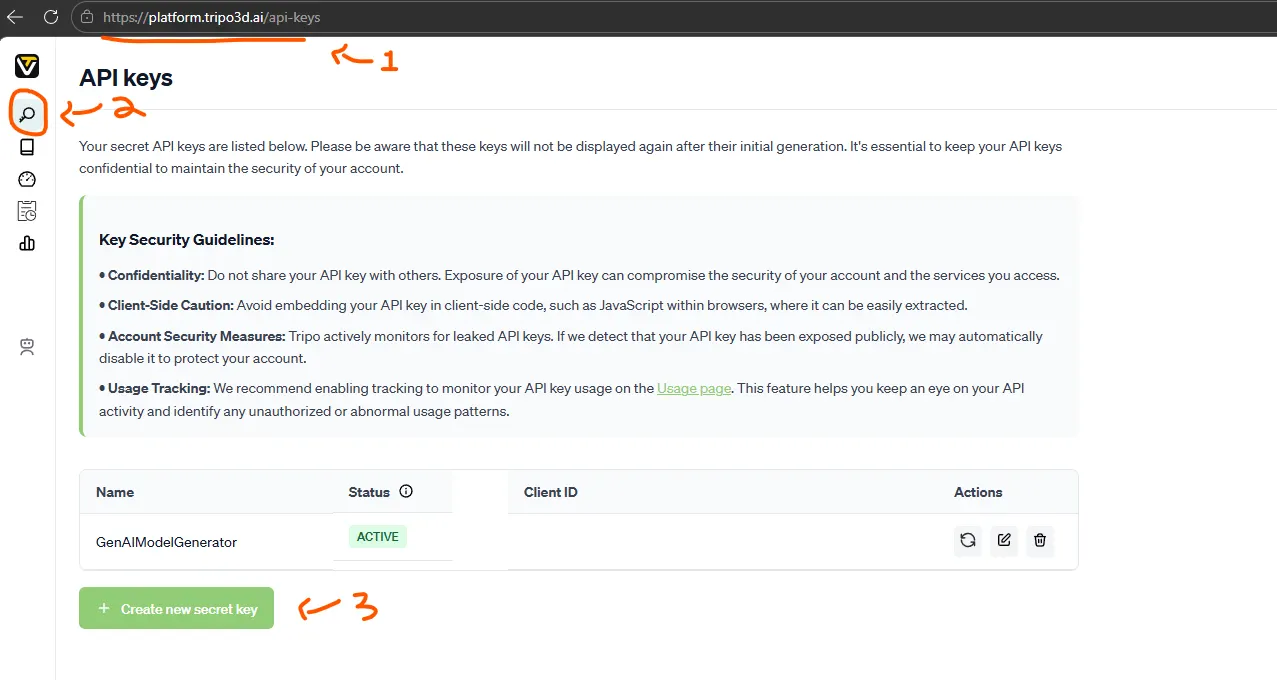
- Visit https://platform.tripo3d.ai and create an account.
- Navigate to your API settings and generate a key.
- Paste it into the Tripo AI API Key field in Project Settings.
Meshy AI
What it powers: Text-to-3D, Image-to-3D, Retexture, and Auto-Rigging using Meshy’s proprietary Meshy-6 model.
Plan required: Pro or higher, $10 first month and $20 after that, You can also get it a free first month using referrals, use our refereal if you are one of the early users: Link. If the link no longer works, ask your friends for a refferal.
API access is not available on the free plan.
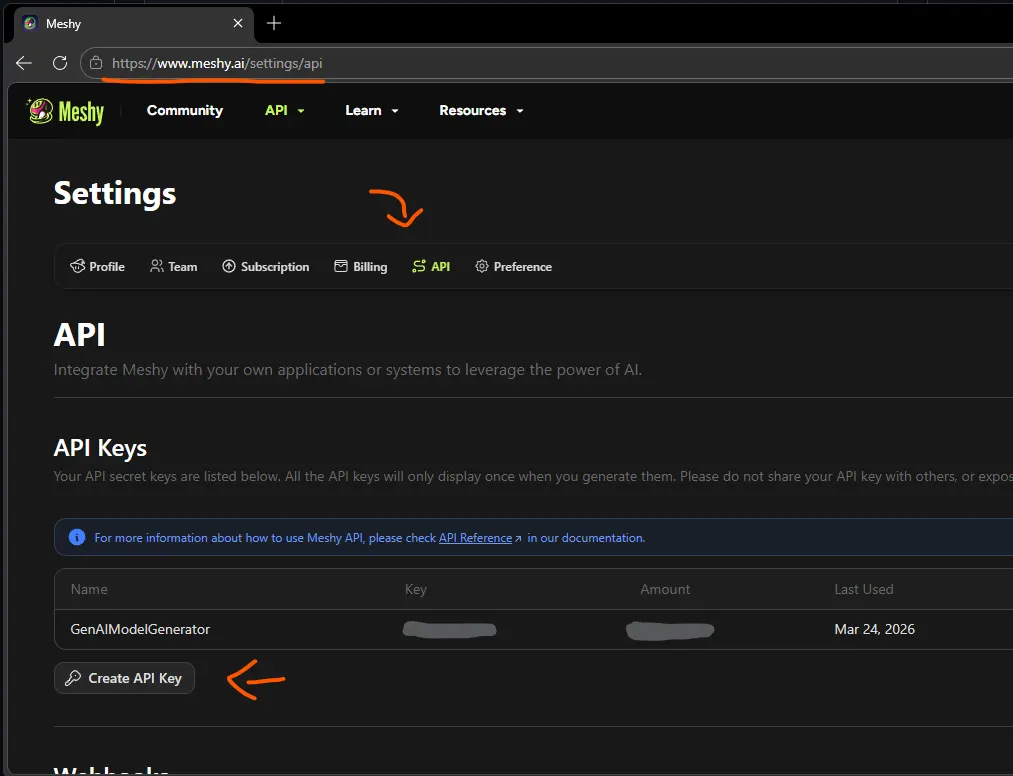
- Visit https://meshy.ai and create an account.
- Subscribe to a Pro plan or higher.
- Go to Settings > API Keys and generate a new key.
- In Unreal, paste it into the Meshy API Key field in Project Settings.
Fal.ai (Covers 4 Providers)
What it powers: A single Fal.ai API key gives you access to four providers in the plugin:
| Provider in Plugin | AI Model | Type |
|---|---|---|
| Fal.ai - Hunyuan3D | Tencent Hunyuan3D v3.1 Pro (Text-to-3D) and v2.1 (Image-to-3D) | Open-source |
| Fal.ai - TripoSR | TripoSR (fast, basic quality, Image-to-3D only) | Open-source (MIT) |
| Fal.ai - Rodin | Hyper3D Rodin Gen-2 (high quality, PBR materials) | Proprietary |
| Fal.ai - Trellis 2 | Microsoft Trellis 2 (Image-to-3D with PBR materials) | Open-source |
Free tier: Small signup credit (typically $1–$10). No subscription needed — pure pay-per-use. After that you need to add buy some credits to use.
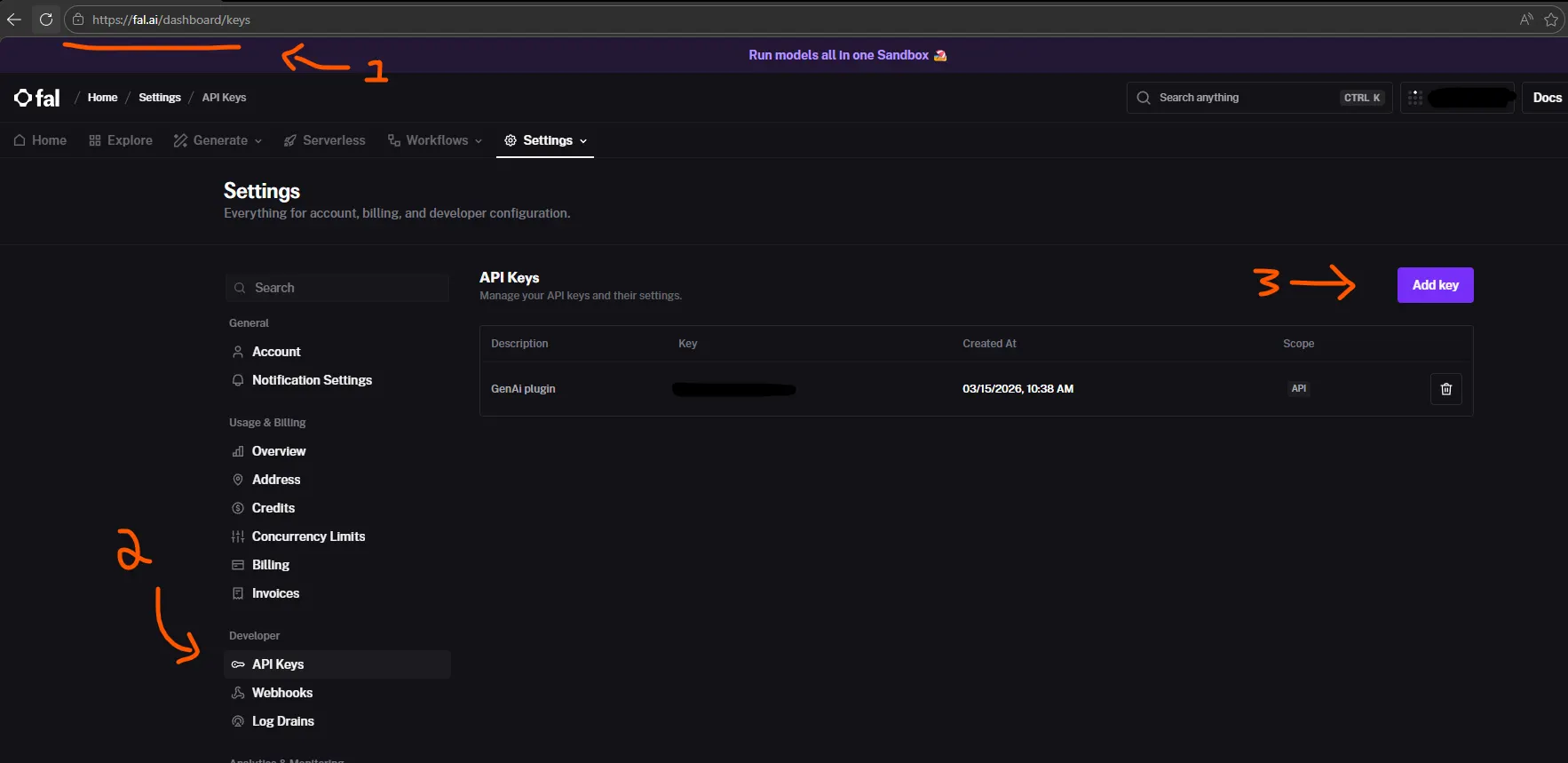
- Visit https://fal.ai and sign up.
- Go to Dashboard > Keys and generate a new API key.
- Paste it into the Fal.ai API Key field in Project Settings.
Note: You do not need a separate Rodin API key. Rodin is accessed through Fal.ai’s infrastructure, which is significantly cheaper than Rodin’s direct Business plan ($120/mo).
Google (Texture Generation)
What it powers: PBR texture map generation (base color, normal, roughness, metallic, full PBR sets) and reference image generation using Google Gemini 3.1 Flash.
Free tier: Rate-limited free access to text models, but image generation may require paid usage.
- Visit https://aistudio.google.com/ and sign in with your Google account.
- Click Get API Key and generate one.
- Paste it into the Google API Key field in Project Settings.
Key Storage & Security
All API keys are stored in a non-portable, encrypted binary file at:
YourProject/Saved/Config/GenAIModelGen/secureconfig_modelgen.bin
- Keys are XOR-encrypted before being written to disk — they are never stored in plain text
.inior config files. - This file is automatically excluded from source control and cannot be used on a different machine.
- Keys entered in the Project Settings panel are written to this encrypted file immediately on save.
UNSAFE Build Option: There is an option to include keys in packaged builds for private testing. This copies the encrypted key file into the build. Do not enable this for any distributed build — the encryption is obfuscation, not strong security.